회사에서 Pinpoint와 마찬가지로 Zabbix도 활용해서 모니터링하고 있다.
인스턴스 기반으로 운영하고 있는 서비스라던가 중요 서비스 도메인들의 URL 모니터링 정도로만 활용하고 있는데, 여러 레퍼런스들을 보면 Zabbix 활용도가 무궁무진한 것 같다. 이번에 직접 설치해 보면서 어떻게 구성해야 하는지를 경험해보고 차차 활용 방안에 대해서도 검토해봐야겠다.
Zabbix 초기 설치
bash
timedatectl set-timezone Asia/Seoul

# Installation Zabibix RPM
rpm -Uvh https://repo.zabbix.com/zabbix/5.0/rhel/7/x86_64/zabbix-release-5.0-1.el7.noarch.rpm
yum clean all

# Installation additinal package
rpm -Uvh https://rpmfind.net/linux/centos/7.9.2009/extras/x86_64/Packages/centos-release-scl-rh-2-3.el7.centos.noarch.rpm
rpm -Uvh https://rpmfind.net/linux/centos/7.9.2009/extras/x86_64/Packages/centos-release-scl-2-3.el7.centos.noarch.rpm

# Installation additinal zabbix package
yum install zabbix-server-mysql zabbix-agent
Zabbix 컴포넌트 설치
bash
yum-config-manager --enable rhel-server-rhscl-7-rpms* zabbix-frontend 레포지토리 활성화 (/etc/yum.repos.d/zabbix.repo)
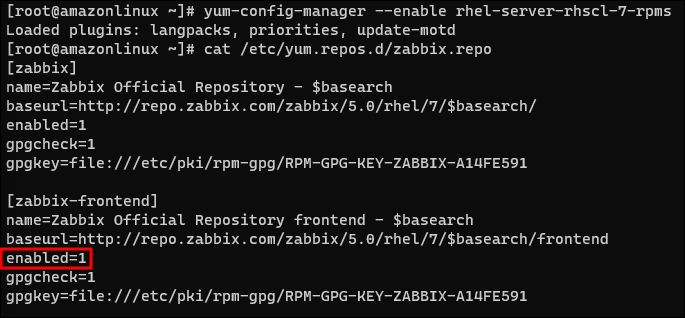
bash
yum install zabbix-web-mysql-scl zabbix-nginx-conf-sclMariaDB 설치
bash
yum install -y mariadb mariadb-server
systemctl start mariadb && systemctl enable mariadb

mysql -u root -p
> create database zabbix character set utf8 collate utf8_bin;
> create user zabbix@localhost identified by 'password';
> grant all privileges on zabbix.* to zabbix@localhost;
> grant all privileges on *.* to 'root'@'%' identified by 'root';
> quit;
Zabbix 초기 스키마, 데이터 import
bash
zcat /usr/share/doc/zabbix-server-mysql*/create.sql.gz | mysql -uzabbix -p zabbixZabbix frontend PHP 설정
bash
vim /etc/opt/rh/rh-php72/php-fpm.d/zabbix.conf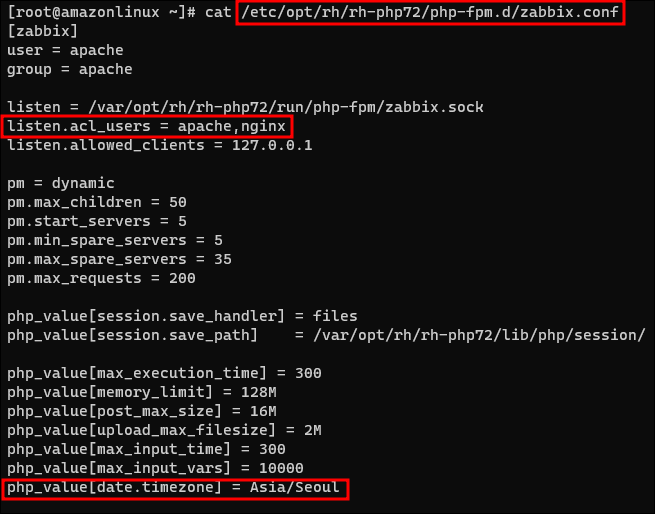
Zabbix Server 설정
bash
vim /etc/zabbix/zabbix_server.conf
Zabbix nginx 설정

Zabbix Server 관련 서비스 설정
bash
systemctl restart zabbix-server zabbix-agent rh-nginx116-nginx rh-php72-php-fpm
systemctl enable zabbix-server zabbix-agent rh-nginx116-nginx rh-php72-php-fpm mariadb
systemctl status zabbix-server zabbix-agent rh-nginx116-nginx rh-php72-php-fpm mariadb
Zabbix Server 초기 세팅 접속 화면
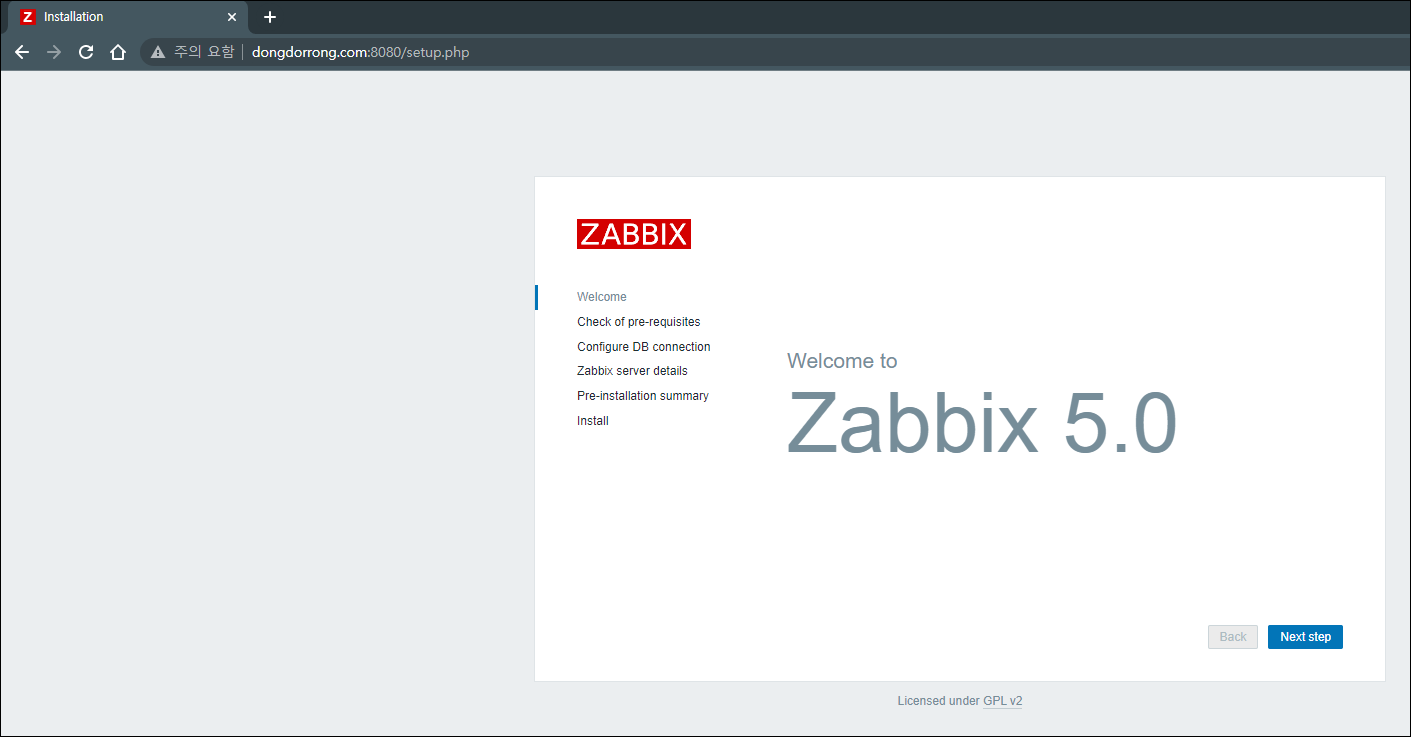
Zabbix Server 세팅 완료 화면
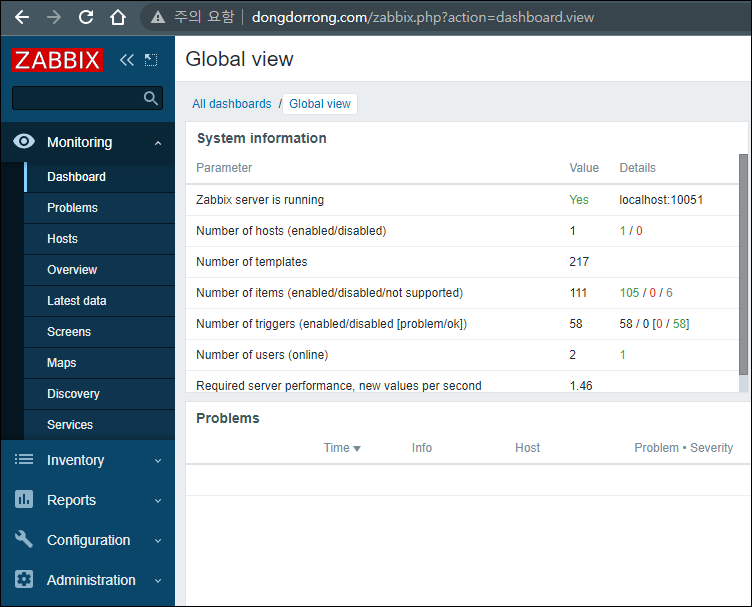
설치해보니 생각보다 에러가 많이 발생했지만 결과적으로 성공!