Before starting a Kubernetes side project, I want to set up the services we use at work myself and see how they operate.
Because of the cost, I cannot create EC2 instances on AWS, so I needed an alternative. AWS provides an Amazon Linux 2 image, so I decided to install it on Hyper-V.
Run Amazon Linux 2 as an On-Premises Virtual Machine
Although the image can be customized to some extent, I used the sample Seed.iso to launch an instance straight away. Following the procedure, I could log in with the ec2-user|amazon credentials. The eth0 network interface had no IPv4 address assigned, so I assigned one.
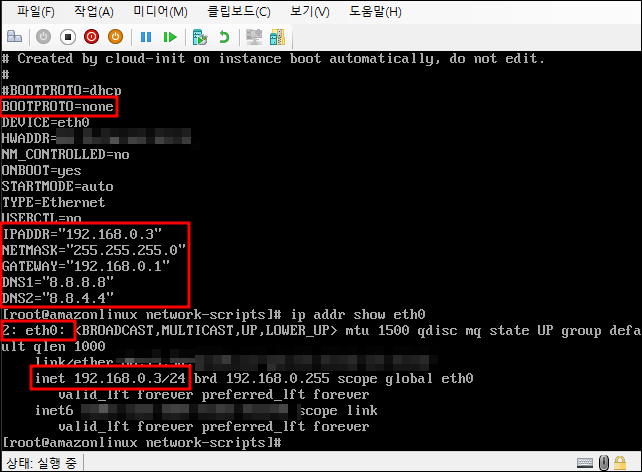
Since I would be working through Windows Terminal, I also made changes to allow ssh access. PasswordAuthentication yes was set during the initial installation. After commenting it out and restarting ssh, I confirmed that I could connect over ssh.
